
Tracking your collection
Pick one missing record, check its form and habitat, then run a route that still has a second job if the catch does not appear.
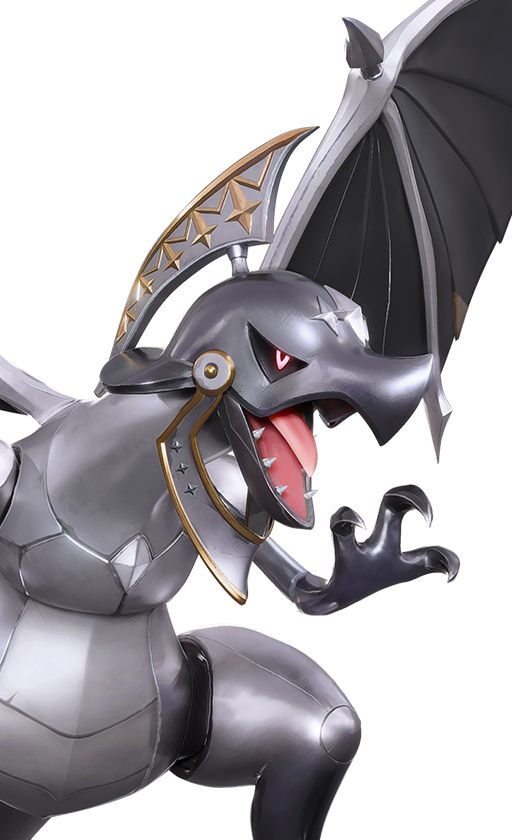
One missing Aniimo plus a backup objective is a session. A long list of blanks is not.
Pick one missing Aniimo
Filter the tracker until you can name one creature, form, or family you actually want. A favorite is a good reason. So is a Wind BREAK gap. A biome-sized backlog is not a route.
Open Details before you travel. Helgon is Wind BREAK in Russet Highlands, with Basic and Mountain forms. The tracker’s single checkbox cannot store that split for you.
What the tracker remembers
What the tool actually remembers. A worked example of “Pick one missing Aniimo”, not a new plan.
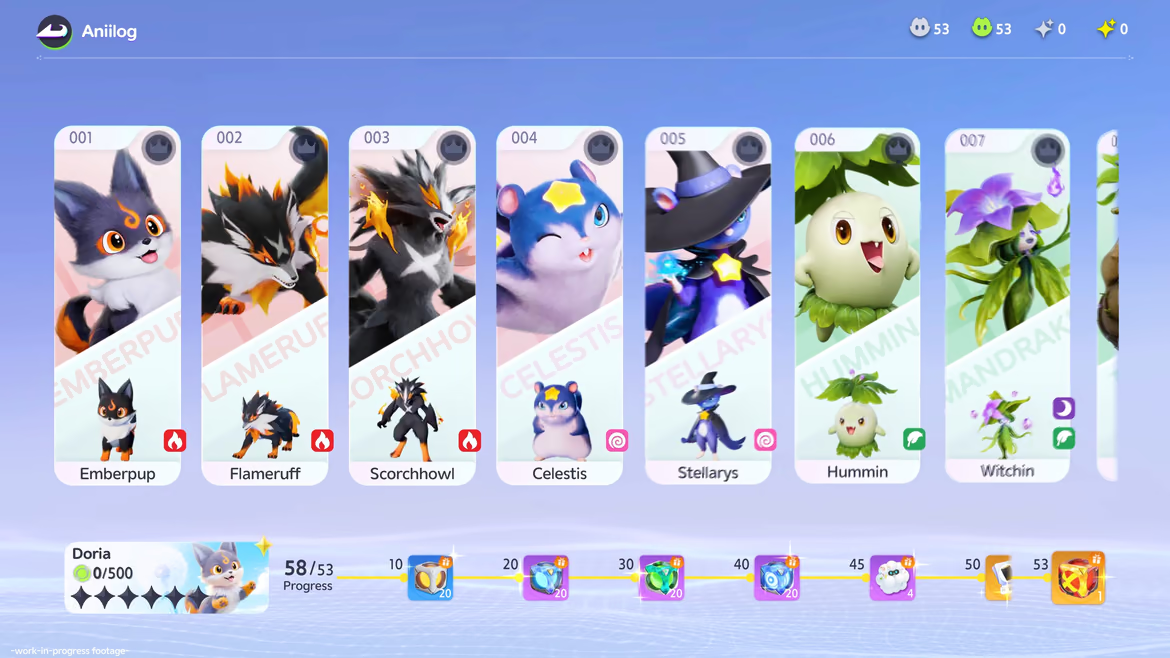
The Collection Tracker has three useful controls: search, All/Owned/Missing filters, and the plus button on each Aniimo card. Marking a card stores that Aniimo slug in this browser's local storage and updates the progress bar. There is no account sync, form-level checkbox, import from the game, or automatic proof that a creature was caught.
That limitation should shape the way you use it. Treat the tool as a personal shortlist for the device in front of you. If you clear site data or switch browsers, the marks may not follow. When a family has several forms, use the base checkbox as a reminder and open the profile to record which exact form or stage you still care about.
The Missing filter is the best starting point, but it should not choose the session for you. Search a favorite name, open Details, and confirm habitat, form, and role before you build a route. One deliberate target gives the tracker a job; clicking ninety-four plus signs only turns it into another maintenance screen.
| Control | What it does | What it does not do |
|---|---|---|
| + / ✓ | Stores or removes the Aniimo slug in local browser storage | Verify an in-game catch or track each form separately |
| Owned | Shows records marked on this browser | Import a roster from an Aniimo account |
| Missing | Shows unmarked base roster records | Rank which target matters most to you |
| Search | Narrows cards by Aniimo name | Search habitats, traits, stages, or item requirements |
| Details | Opens the full Aniimo profile | Keep notes inside the tracker |
Check the exact form
Say the full name: Aniimo, form, and stage. That stops the common detour of walking toward a family while meaning a different version. Forms and evolution is the check.
Collection, evolution, and team use can all be valid. They point at different pages. A base checkbox for the tracker is not the same as a Highland hunt or a stage-three branch.
Pair the hunt with a second goal
Add a material, chest line, egg layer, or mobility test in the same region. Russet Highlands currently stores 51 Sunny Daisy points — a clean partner for a Helgon pass. Open the map with one creature layer and one backup layer.
Keep the second objective small. You are giving the route a floor, not building a second checklist.
- 01
Choose the missing record
Tracker first, then the profile for form and habitat.
- 02
Open that region
One creature layer and one backup layer.
- 03
Run the loop once
Learn the terrain before optimizing every pin.
- 04
Mark the result
A miss can still leave a material count and a better next question.
Helgon in Russet Highlands
A complete tracker-to-map example. A worked example of “Pair the hunt with a second goal”, not a new plan.
Imagine Helgon is still unmarked. Search its name in the tracker, open Details, and read the target before traveling: the current profile lists Wind, a BREAK role, and Russet Highlands as its habitat. It also separates a Basic Form from a Mountain Form, something the tracker’s single family-level checkbox cannot express for you. Forms and evolution is the check for that split.
Choose Russet Highlands and add Sunny Daisy as the route partner; the current Breezy Plains snapshot records 51 Sunny Daisy points there. Keep the creature search and one material layer visible on the map. If Helgon does not appear during the pass, the outing still returns a named resource and teaches you a region attached to the profile.
After the run, mark Helgon only if that family-level reminder is useful to you, and keep the exact Mountain Form goal in your own short note. If its Wind/BREAK identity answers a team problem, test the record in Team Builder. If you want it only because the form appeals to you, that is also a complete reason to collect it.
| Page | Decision | Result carried forward |
|---|---|---|
| Collection Tracker | Choose Helgon from Missing or Search | One family-level target |
| Helgon profile | Read Wind, BREAK, Russet Highlands, and the Mountain Form record | Exact version, job, and region |
| Interactive map | Open Russet Highlands; add Sunny Daisy as the second objective | A route that still has value if the catch is missed |
| Team Builder | Test whether a Wind/BREAK record fills a real gap | A gameplay use—or an honest collection-only result |
After you find it
Stay on the profile for a minute. Does the element cover a recurring weakness? Does the role give you another way to open BREAK? Does its movement make the route easier? Collection can become a play win. If it looks useful, drop it into Team Builder.
If it never earns a team slot, that is still a complete reason to keep it. Just do not pretend a pretty form is a combat upgrade.
Marks live in this browser. If the list matters, keep a separate note before you clear site data.
| You found | Ask | Go next |
|---|---|---|
| A base Aniimo | Does it add an element, role, or trait? | Profile and Team Builder |
| A regional form | What changed besides the look? | Forms and evolution |
| An egg lead | What does the item text confirm? | Eggs guide |
| A family branch | Collection or planned evolution? | Evolution records |
Quick answers
Does the Collection Tracker need an account?
No. Marks are stored in this browser’s local storage. Clearing site data or switching devices can remove them.
Can it track each form separately?
No. The plus button stores the Aniimo’s base slug. Use the profile for Basic vs Mountain or Highland versions.
How should I pick the next target?
One record you care about, with a habitat you can open on the map, plus a backup objective in the same region.
Should every catch go on the team?
No. Collection can be personal. If a new record also fills a job, test it in Team Builder; if not, mark it and move on.